GenieAdoptionUnity CatalogDatabricksAI Agents11 min read
Genie – from PoC to Production
 Kristian Johannesen
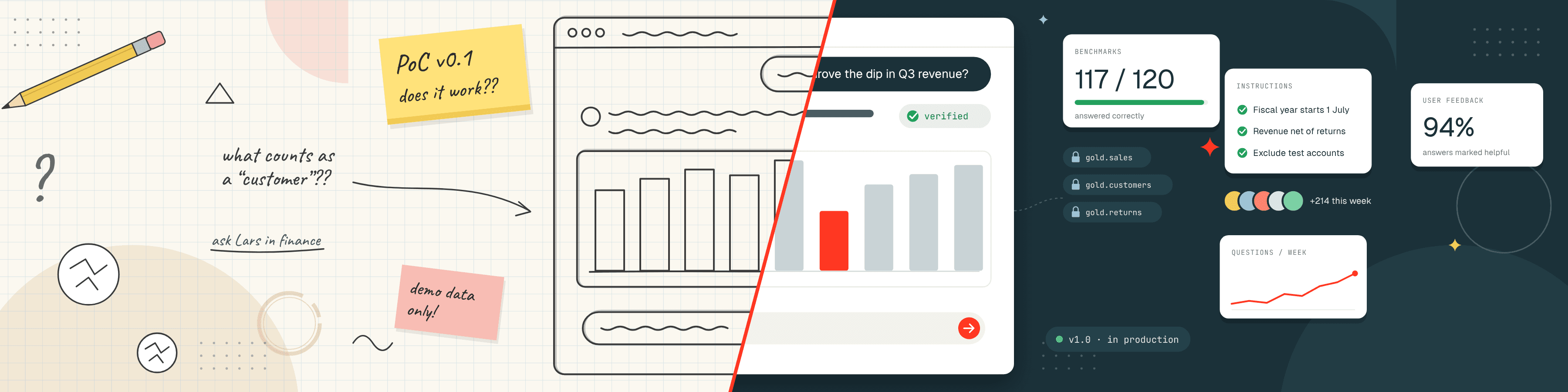
Since Databricks launched Genie in 2025, a lot of companies have started testing what it can do. As the product has matured and more Genies have been introduced, the conversations have shifted. Many companies are still running proofs of concept, but some have started to look beyond them, at what it takes to run Genie in production.
This comes with a lot of questions, such as:
- How many Genie Agents do we actually need for a company of our size?
- How do we ensure that Genie is adopted?
- Who should be responsible for the setup, maintenance and (most importantly) context of each Genie Agent?
- How do we manage cost for Genie Agents?
This article gathers current best practice, along with personal learnings and reflections on some of the newer features that can help you scale Genie in your organisation.
What is the right Genie for my problem?
Understanding the difference between the versions of Genie is a great place to start. In part, this is about using the right tool for the job. Below is a short summary of each Genie and its primary use case.
This article focuses on end-user solutions. For that reason we set Genie Code, Genie ZeroOps and Genie App Builder aside and turn our attention to Genie Agents and Genie One.
| Genie | User segment | Use case |
|---|---|---|
| Genie OneGA | Business users | Ask data questions and draft reports across your entire Databricks domain |
| Genie AgentsGA | Analysts, business users | Set up domain-specific agents with trusted tables, metrics and rules |
| Genie App BuilderBeta | Business users | Generate governed Databricks Apps from a prompt |
| Genie CodeGA | Data engineers, data scientists | Write, debug and deploy pipelines, notebooks and ML code |
| Genie ZeroOpsPrivate preview | Data platform engineers | Monitor jobs, pipelines and tables, find root causes automatically and propose fixes |
Building efficient Genie Agents empowers Genie One
The most important rule when scoping a Genie Agent is to confine it to a single data domain. A classic retail business shows what this means in practice.
Ideally, we build on Metric Views as the standardised way of calculating and describing KPIs, dimensions and business concepts. On top of those, the recommended approach is a separate Genie Agent for each of Sales, Purchasing, Finance and perhaps Inventory. They all rely on the same definitions from the Metric Views, to avoid duplication, but that is all they share. Scoping each Genie Agent to a specific domain makes it easier to give it the right context.
For users who tend to work across several domains, we then rely on one of two things:
- A cross-domain orchestration agent, whose main purpose is to pull the right information from, say, Sales Genie and Inventory Genie when you ask for products that are low on stock but seeing new sales.
- Genie One, which by definition spans the same domains as a cross-domain agent, but possibly a wider scope than you need.
My recommendation: if several users often need a specific cross-domain view, create the agent. If the requests are more ad hoc, use Genie One as your starting point, and review the consumption and adapt from there.
Do not let Genie be part of your security
Genie inherits the Unity Catalog security context of the user. Even if you can use Sales Genie, you cannot surface data it has access to unless you have that access yourself. Make sure all of your governance, such as access policies, permissions and masking rules, is defined directly in Unity Catalog and not as a makeshift solution in your Genie Agent definition.
This may sound obvious, but it is worth stating clearly. Unity Catalog is, in my opinion, the most important part of the platform if you want a platform that scales well across many solutions. Build security there, and remember the principle of least privilege. Always grant access through groups, synced from your identity provider, and never to individual users. That way, when people join, change roles or leave, their access to Genie is updated along with everything else.
The newly released Governance Hub is a great resource for keeping up to date with who can see what. Use it to your advantage to monitor everything from Tables to Models, Skills and Pages.
Context is king
If you have worked with LLMs or agents, this will be familiar. Context is all the information a model can see, process and remember at a given point in time. For Genie specifically, context matters for a few important reasons:
- The power of Genie comes from its immediate access to your data in Unity Catalog. This is your main context.
- Even with access to all your data, Genie needs to know what a customer, a sale, a margin or minimum stock actually means in the context of your business.
- You might also want to add context that is less structured, in the form of documents, process flows or drawings.
| Layer | What it holds | Where it lives |
|---|---|---|
| Data | The tables and columns each user can access | Unity Catalog |
| Structured context | Descriptions, synonyms, decorators, governed tags, Metric Views | Alongside your data in Unity Catalog |
| Unstructured context | Process guides, such as sourcing or month-end close | Pages, each within a Domain |
| Agent context | Instructions, memory, skills | Genie Agents and Genie One; skills in your own folder or Unity Catalog |
| OntologyPreview | A map that connects all of the above and ranks it | Genie One |
Structured and unstructured context
Most of the context above is what I would call structured. It sits alongside your data: descriptions at column and table level, a few synonyms, maybe a translation, and a decorator that says something about the freshness of the data or the domain of the table. Most of this should be part of a good Metric View, or at least a well-structured table.
Sometimes, however, we need to provide unstructured context. This is where Pages come in. Think of them as documentation that is agent-ready. Purchasing Genie might need to know how our sourcing process works, while Finance Genie needs a specific guide to how month-end and closing the books work in our company. This goes far beyond what we can provide alongside the data in our tables.
All your context in one place?
Databricks is working on fusing all of the above into what is called Genie Ontology: a map of the context available in your business and how it all fits together. It is paired with a ranking algorithm called OntoRank, which takes into account usage, users similar to you and a lot of other signals, to serve the right context at the right time.
Ontology is still under development, and we cannot yet see what happens under the hood, but I am quite certain this is a space to watch. The best way to get started, and to be prepared for the full version, is to do the basic work:
- Define your Domains first; every Page belongs to one.
- Create your Metric Views.
- Set up good descriptions and decorators.
- Use tags, especially governed tags.
- Start creating Pages.
For now, Ontology is only available in Genie One. When it is in use, you will see a small icon next to the context Genie One picked up, showing that Ontology was used.
What about instructions, memories and skills?
Metric Views, Pages and Ontology all describe your data and your business. Instructions, memory and skills are different. They are context that sits with Genie itself, and with how people use it. Together they shape what Genie knows in a session.
Custom instructions are loaded into every session: per agent in Genie Agents, and as workspace instructions in Genie One. They are what makes Sales Genie actually Sales Genie, and they keep tone of voice and output format consistent.
Memory is what Genie learns from your chats, in Genie Agents and Genie One alike. It is saved automatically, a small icon shows when it is used, and you can ask Genie to remember something specific.
Skills teach Genie a recurring task the way you would do it yourself, in Genie Agents, Genie One and Genie Code. They are Markdown files, kept in your own folder or in Unity Catalog. Use Unity Catalog for anything reusable, so the skill is governed. Skills can also run on a schedule.
While they all work slightly differently, they all provide context that outlasts a single chat: instructions and skills for everyone, memory for you.
Once we have a well-configured Genie with good context, the next step is getting people to use it in their daily work – or, as most engineers would put it, the hard part!
Adoption is still not easy
The good news is that you do not have to plan the rollout from scratch. The main idea is to start small. Begin with one team and one well-governed domain, then add the teams closest to it, and only then roll out to the rest of the organisation. Databricks describes this approach in their playbook for rolling out Genie One, which is a great point of reference.
Even with a good plan, it still comes down to people. We have seen the same pattern with BI solutions for years: driving adoption is a discipline of its own.
Adopting Genie should be treated like any other serious IT rollout. People need formal training, a clear place to go with questions, and an understanding of how they can improve the results themselves. Just as importantly, they need to know when not to use it. Good practices include:
- A dedicated channel in Slack/Teams.
- Regular office hours.
- A short guide to asking good questions.
Meet people where they already work, too. Genie is already available across Slack, Teams, Excel, Google Sheets and the mobile apps, so nobody has to change tools to try it.
Genies for everything?
Genie may look like a great hammer, but that does not make every problem a nail. One message I keep repeating is this:
There is a place for both. My main distinction is the deterministic nature of BI versus the non-deterministic nature of agentic systems such as Genie. Your CEO should not risk a non-deterministic answer when reviewing the key KPIs for company performance, but Genie might be a great tool for root-cause analysis, or a deep dive into what happened. Context can do a lot to close this gap, but static analytics such as a dashboard are great for exactly that reason: the definitions always stay the same.
Running Genie in production
Once people are using Genie, the work shifts from rolling it out to keeping it running well: improving the answers, knowing who is responsible for what, and keeping an eye on cost.
Closing the feedback loop
One of my favourite things about Genie Agents is their built-in feedback loop. Every question is logged alongside its answer and any feedback from the user, whether that is a simple 👍 or 👎, written feedback, or even a corrected query. All of this is gold for improving your Genie Agents.
Imagine five users have all asked Inventory Genie "Which products are low on stock?", and each of them has given a different definition of what low stock means. That should tell you we need a company- or department-level definition of it somewhere in our platform.
To know if Genie results are good enough for production, you need a set of test questions. Write down 25–50 real questions that you know the correct answers to, and check how Genie answers them. Most people think of this as something only relevant for the proof of concept, but I would keep using it in production, updating it as Metric Views or Pages get updated. It is the easiest way to spot if a change has broken something, before your users do.
The logs are also a good way to spot drift. As more teams start using Genie, definitions change and Pages get outdated. A Metric View that is changed to fit one team can easily break the answers for another.
Who owns what?
Drift is also why ownership matters. Generally, I would recommend splitting the ownership into two levels:
- A central platform team owns the shared definitions and the overall standards.
- Each domain team owns its own agents and the context behind them, with a named owner for every Metric View and Page who reviews it regularly.
Clear ownership of every part of your platform, Genie included, also makes it much easier to attribute and govern cost.
Keeping up with cost
Genie pricing has changed several times during 2026: first free, then limited and charged, then free again.
For now, all Genie Agent and Genie One costs have been removed until the end of January 2027. After that, there will be a two-tier pricing model:
| Tier | Usage | Price |
|---|---|---|
| Free budgetIncluded | Up to 150 DBUs | Free, worth roughly 10.50 USD |
| Above the budgetPay as you go | Beyond 150 DBUs | 0.07 USD per DBU |
This means you need governance and policies around it. The new Unity Gateway has a built-in budgets feature that fits this use case well, letting you set hard and soft limits for users and teams natively in the platform. All Genie cost and usage is also recorded in your system tables, so you can monitor adoption and spend as you go.
Summing up
Genie opens up many new ways of doing analytics. That said, the ways of working and best practices we have advocated for years still apply. In short:
- Well-written, well-documented solutions make adoption, usage and scale easier.
- We still need to teach people how, when and why to use a tool such as Genie.
- Context is king. Build it, maintain it and control it the same way you do with code.
- Never forget to keep track of governance, your security setup and your costs.
In my experience, getting Genie to work is rarely the hard part. Keeping it useful once people start relying on it is where the real work starts.